Get your tax documents together. Finally.
Built for founders, 1099 earners, landlords, and anyone with years of catch-up filing. CaughtUp walks you through collecting every document the IRS already expects you to have: one checklist, one folder, no shame.
Everything on this page stays in your browser. No account needed to start.
See what you need
A year-by-year checklist shaped for real founder taxes: 1099s, K-1s, rental income, equity forms, quarterly payments, not just a W-2.
Gather it fast
Point CaughtUp at your downloads folder and it sorts tax documents by year automatically. Your files never leave your computer.
Close the gaps
What you can't find, CaughtUp tells you exactly where to get: which portal, which page, which phone number.
Watch it work
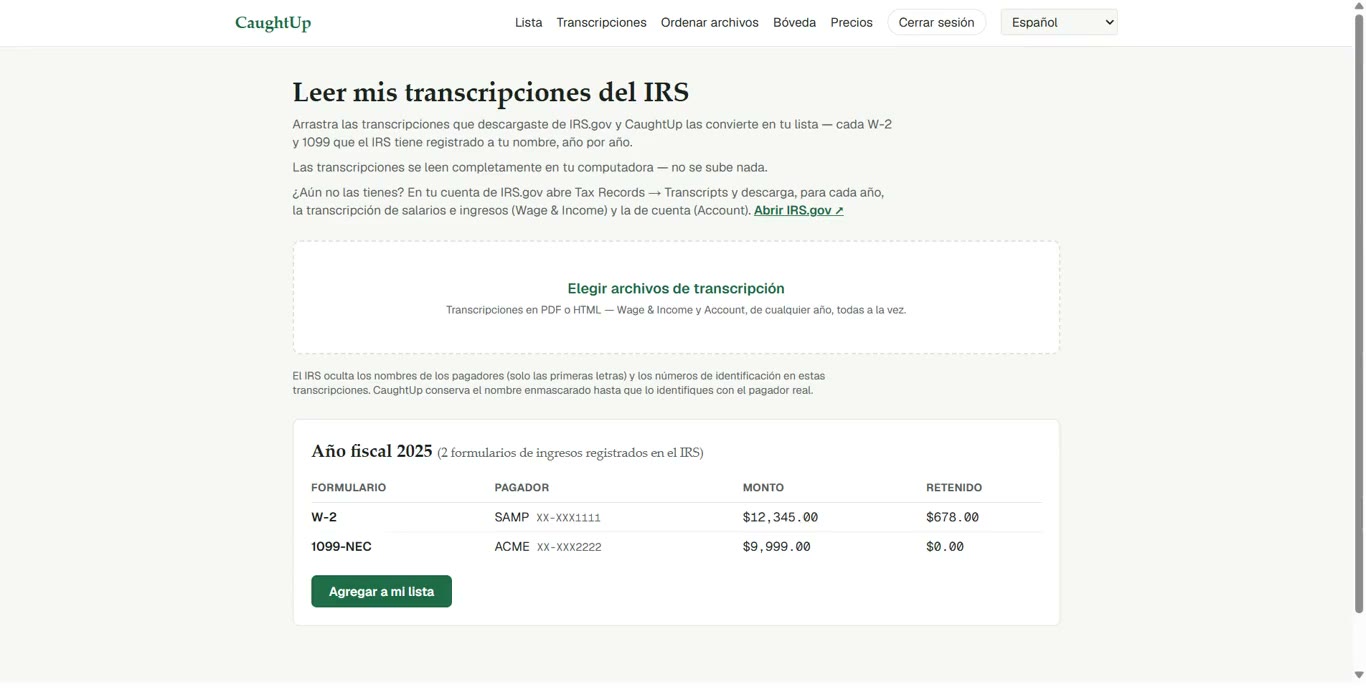
Two minutes, no signup. This is the actual product, not a mockup.
Step zero: log into IRS.gov
Before you hunt through inboxes and portals, know this: the IRS already has a list of every W-2 and 1099 ever filed under your SSN. Pull it first and gathering becomes a checklist instead of a guessing game.
- Create a free account (or sign in) at irs.gov, identity check takes ~10 minutes
- Open Tax Records → Transcripts
- Download the Wage & Income Transcript for every year you're catching up
- Download the Account Transcript too, it shows payments you already made
- Check each form on it against your checklist here
- ✓Your files stay in your browser until you choose otherwise
- ✓Vault protected by required two-factor sign-in
- ✓Payments handled by Stripe
- ✓Seven languages, matching the IRS translation set
Inbox auto-scan (private beta)
Sign in with Google or Microsoft and CaughtUp finds the tax documents buried in your inbox for you. Read-only, revocable, we never see your password. The beta is limited to 100 people.
Find out exactly where you stand
Five questions. No email required. A personal catch-up map in 60 seconds.